iPad apps are considered 'good' when they effectively leverage the iPad's unique features, such as its large touchscreen, Apple Pencil support, and multitasking capabilities, to provide a seamless and enhanced user experience for specific tasks. The best apps offer intuitive interfaces, robust functionality, and reliable performance, catering to diverse user needs from productivity to creativity and personal connection.
Key Takeaways
- Selecting the best iPad apps depends on individual needs, whether for productivity, creativity, entertainment, or personal connection.
- Productivity apps like Notion, Things 3, and Microsoft Office suite offer robust tools for task management and organization.
- Creative professionals can leverage powerful apps such as Procreate, Adobe Creative Cloud, and LumaFusion for digital art and video editing.
- For enhanced personal connection, apps like FEELT provide guided conversations and emotional check-ins, strengthening relationships.
- Exploring specialized apps for learning, health, and entertainment can further enrich the iPad experience.
Unlock Your iPad's Potential: What Makes an App 'Good'?
In the ever-evolving landscape of the App Store, identifying the truly exceptional applications for your iPad can feel like searching for a needle in a haystack. What distinguishes a good app from a truly great one? It's not just about having a plethora of features, but how those features are implemented and how well they align with the iPad's distinct hardware and software capabilities. For instance, apps that excel at utilizing the Apple Pencil for drawing or note-taking, or those that master split-screen multitasking, immediately stand out. In our analysis, we’ve found that the most highly-rated apps consistently offer a fluid user experience, intuitive navigation, and a clear purpose, whether that’s streamlining your workflow, igniting your creativity, or fostering deeper connections. We've also observed that apps designed with the iPad's form factor in mind, rather than simply being scaled-up iPhone apps, tend to perform better and offer more value. As of 2026, the competition among app developers has driven innovation, leading to a richer ecosystem of powerful tools at our fingertips.
When we assess an app, we consider several key factors that contribute to its overall quality and utility. These aren't just subjective preferences; they are based on industry best practices and user feedback observed over years of testing and usage. The goal is to provide a comprehensive overview that helps you make informed decisions about which applications will best serve your needs on your iPad. From my experience, the most impactful apps are often those that feel like a natural extension of the device itself, rather than an add-on.
Key Features of Top-Tier iPad Apps
Key Features of Top-Tier iPad Apps are the hallmarks of applications that truly shine on the device. These elements work in concert to deliver an exceptional user experience, making the iPad a powerful tool for a multitude of tasks. In our testing, apps excelling in these areas consistently received high marks and were frequently recommended.
- Intuitive User Interface (UI) and User Experience (UX): Apps that are easy to navigate, with clear visual cues and logical workflows, significantly reduce the learning curve and enhance user satisfaction. For example, a well-designed note-taking app should allow you to jot down ideas instantly without fumbling through menus.
- Optimized for Large Screen and Touch Interaction: Unlike scaled-up phone apps, these applications are designed to take advantage of the iPad's larger display, offering more content visibility and interactive elements that feel natural with touch input.
- Apple Pencil Integration: For creative and note-taking apps, seamless integration with the Apple Pencil is crucial, offering pressure sensitivity, tilt support, and low latency for a pen-on-paper feel. We’ve seen remarkable advancements in this area in 2026.
- Multitasking Capabilities: Support for Split View and Slide Over allows users to run multiple apps side-by-side, boosting productivity. Apps that facilitate easy drag-and-drop between these windows are particularly valuable.
- Offline Functionality: While many apps rely on internet connectivity, those that offer robust offline modes for core features provide flexibility and reliability, especially when on the go.
- Regular Updates and Support: A commitment to frequent updates, bug fixes, and responsive customer support indicates a developer's dedication to the app's longevity and user satisfaction. According to AppFollow, apps updated at least monthly see a 15% higher user retention rate.
Productivity Powerhouses: Apps to Get Things Done
Productivity apps for iPad are designed to streamline workflows, manage tasks, organize information, and enhance efficiency. These applications are essential for students, professionals, and anyone looking to make the most of their time and minimize distractions. In our experience, the best productivity apps feel like an extension of your own organizational system, making complex tasks feel manageable and intuitive.
The iPad, with its portability and powerful processing, is an ideal device for productivity. However, the right software is crucial to unlocking its full potential. We’ve tested numerous applications, and certain categories consistently rise to the top. When choosing, consider your primary needs: are you a heavy task manager, a meticulous note-taker, or someone who juggles multiple projects? As of 2026, the integration of AI features is also becoming a significant differentiator, offering smarter suggestions and automated tasks.
Task Management and To-Do Lists
Effective task management is the bedrock of productivity. These apps help you break down large projects into manageable steps, set deadlines, and prioritize your workload. When we’ve used apps like Things 3, the intuitive design and powerful features for organizing complex projects have been invaluable. The ability to create projects, subtasks, and recurring tasks, all within a visually appealing interface, makes tackling your to-do list feel less daunting. For instance, the 'Today' and 'Upcoming' views provide a clear snapshot of your immediate and near-future responsibilities, ensuring nothing falls through the cracks. Research from Asana's 2025 'Anatomy of Action' report highlights that 70% of employees feel more engaged when their work tasks are clearly defined and prioritized.
- Things 3: Renowned for its elegant design and powerful features, offering project management, daily planning, and reminders. Its intuitive interface makes capturing and organizing tasks a breeze.
- Todoist: A cross-platform favorite known for its flexibility, natural language input, and robust collaboration features. It’s excellent for both personal and team-based task management.
- Microsoft To Do: Seamlessly integrates with the Microsoft ecosystem, offering a clean interface and smart suggestions. It’s a solid free option for individuals and teams using Microsoft 365.
Note-Taking and Knowledge Management
Beyond simple notes, modern knowledge management apps allow you to connect ideas, build databases, and create a personal wiki. Notion has become a standout in this category, offering a highly customizable workspace for notes, databases, project management, and more. In our testing, Notion’s flexibility has been its greatest strength; we’ve used it to build everything from simple grocery lists to complex research databases. Its ability to embed various media types, link pages, and create custom views for different data sets makes it a versatile tool for anyone looking to organize their digital life. According to a 2026 survey by Capterra, 55% of users find that integrated note-taking and task management features significantly improve their productivity.
- Notion: A highly versatile workspace for notes, databases, Kanban boards, and more. Its flexibility allows for extensive customization to fit any workflow.
- Evernote: A long-standing favorite for capturing notes, web clippings, and documents, with powerful search capabilities. It’s great for organizing a vast amount of information.
- Apple Notes: Built into iPadOS, it offers a surprisingly robust set of features, including sketching, document scanning, and iCloud syncing, making it a convenient default option.
Office Suites and Document Creation
For document creation, spreadsheets, and presentations, a powerful office suite is indispensable. The Microsoft Office suite (Word, Excel, PowerPoint) and Apple's iWork suite (Pages, Numbers, Keynote) offer comprehensive tools that are highly optimized for the iPad. In our professional evaluations, the ability to collaborate in real-time on documents and the seamless integration with cloud storage services like OneDrive and iCloud Drive have been critical. For example, using Excel on the iPad for complex financial modeling, with its full range of formulas and charting tools, has proven to be just as effective as on a desktop. Data from Statista indicates that the mobile office suite market is projected to grow to over $10 billion by 2027, underscoring the demand for these powerful tools.
- Microsoft Office Suite (Word, Excel, PowerPoint): Industry-standard applications offering full functionality and excellent compatibility. Ideal for professional environments and collaborative projects.
- Apple iWork Suite (Pages, Numbers, Keynote): Free and deeply integrated with iPadOS, offering elegant design and robust features for document creation, spreadsheets, and presentations.
- Google Workspace (Docs, Sheets, Slides): A cloud-native suite emphasizing real-time collaboration and accessibility from any device.
Unleash Your Creativity: Apps for Artists and Creators
Creative apps for iPad transform the tablet into a portable studio, enabling digital art, graphic design, video editing, music production, and more. These applications are designed to harness the iPad’s processing power and touch interface, often with exceptional Apple Pencil support, to empower creators of all levels. We've seen firsthand how these tools can democratize creative processes, making professional-grade output accessible to a wider audience. In 2026, the integration of AI-powered creative assistants is further enhancing these capabilities, offering new avenues for inspiration and efficiency.
The iPad has become a formidable platform for creative work, challenging traditional desktop setups. The tactile experience of drawing or painting on a screen, combined with powerful software, offers a unique and often more intuitive creative flow. When evaluating these apps, we focus on responsiveness, feature depth, and the ability to export in professional formats. The quality of the brush engines, the precision of the editing tools, and the overall performance under demanding workloads are paramount. As an example, many freelance illustrators and graphic designers we’ve spoken with now rely almost exclusively on their iPads for client work.
Digital Art and Illustration
For digital artists, the iPad has become a primary canvas. Procreate is arguably the king of illustration apps on iPad, offering an extensive suite of powerful brushes, layers, and a responsive interface that feels incredibly natural with the Apple Pencil. In our studio, Procreate has been instrumental in rapid sketching and detailed illustration work. Its performance, even with complex projects, is exceptional, and the constant stream of updates adds new features and refinements. The community around Procreate is also a testament to its influence, with countless tutorials and shared artwork inspiring new users. Research from Adobe indicates that over 60% of digital artists use tablets for their work, with the iPad being a dominant platform.
- Procreate: The go-to app for digital painting and illustration, known for its intuitive interface, powerful brush engine, and extensive features. It offers unparalleled performance for its price point.
- Adobe Fresco: Combines the power of raster and vector brushes with live brushes that mimic real-world media. It integrates seamlessly with other Adobe Creative Cloud apps.
- Concepts: A vector-based sketching app that offers infinite canvases and precise control, ideal for technical drawings, storyboarding, and concept art.
Graphic Design
Graphic design on the iPad has become increasingly sophisticated, allowing for professional-grade logo creation, marketing materials, and social media graphics. Canva is a popular choice for its user-friendly interface and vast library of templates, making design accessible to everyone. For more advanced users, the Affinity suite (Designer, Photo) offers desktop-class tools without the subscription model. In our professional design projects, we’ve found Affinity Designer to be a powerful alternative to Adobe Illustrator, offering precise vector tools and a smooth workflow on the iPad. Its one-time purchase model also makes it very attractive. According to a 2025 report by Designmodo, 45% of small businesses use template-based design tools for their marketing materials.
- Canva: An accessible and user-friendly graphic design platform with a massive library of templates for social media, presentations, and more.
- Affinity Designer: A professional-grade vector design application offering powerful tools for illustration, UI design, and branding, with a one-time purchase.
- Adobe Illustrator (via iPad app): The industry-standard vector graphics editor, now available on iPad with many of its desktop features.
Video Editing
The iPad has emerged as a surprisingly capable video editing platform, suitable for everything from quick social media clips to more complex short films. LumaFusion is widely considered the gold standard for professional-grade mobile video editing. It offers a multi-track timeline, advanced color correction, audio mixing, and support for various video formats. In our hands-on testing, LumaFusion’s performance with 4K footage has been impressive, and its feature set rivals many desktop editors. For simpler edits or quick social media content, iMovie (free and built-in) is an excellent starting point. Data from VidIQ shows that short-form video content continues to dominate online engagement, making efficient mobile editing tools more valuable than ever.
- LumaFusion: A powerful, professional multi-track video editor for iPad, offering advanced editing, effects, and export options.
- iMovie: Apple’s free, user-friendly video editor that’s perfect for beginners and quick edits.
- CapCut: A popular and feature-rich free video editor, especially for social media content, with many effects and templates.
Enhancing Connection: Apps for Relationships and Well-being
Apps focused on connection and well-being leverage technology to foster stronger relationships, improve mental health, and promote personal growth. While often overlooked in favor of productivity or entertainment, these applications can be profoundly impactful, offering tools for communication, mindfulness, and self-improvement. In our experience, dedicated relationship apps can bridge communication gaps, especially for busy couples, by providing structured ways to connect and understand each other better. As of 2026, AI is increasingly being integrated into these apps to offer personalized insights and support.
In today's fast-paced world, maintaining deep connections and personal well-being can be challenging. The iPad offers a private and comfortable space to engage with these types of applications. We’ve found that apps designed with empathy and psychological principles at their core tend to yield the most positive results. The key is to find tools that encourage genuine interaction and self-reflection, rather than superficial engagement. For couples struggling to find time for meaningful conversations, specific apps can act as a much-needed guide. My own observations suggest that consistent, small efforts facilitated by an app can lead to significant relationship growth over time.
Strengthening Couple Connections
For couples navigating busy lives, maintaining emotional intimacy and open communication is paramount. Apps like FEELT are designed to facilitate these vital conversations. FEELT offers guided prompts, emotional check-ins, and 'rituals' to help couples build a habit of connecting. In our testing, the AI Therapist feature was particularly insightful, summarizing our check-ins and offering actionable recommendations for improving communication and understanding. This level of personalized, data-driven feedback is a significant advancement in relationship support. According to a 2026 study by the National Council on Family Relations, couples who engage in regular, structured communication exercises report higher relationship satisfaction.
- FEELT: Offers guided conversation prompts, mood check-ins, and relationship 'rituals' to foster deeper connection and understanding between partners. Its AI Therapist provides personalized insights.
- Paired: Provides daily questions, quizzes, and exercises to help couples learn more about each other and strengthen their bond.
- Lasting: Focuses on building a strong foundation for marriage with research-based exercises and tools for communication and conflict resolution.
Mindfulness and Mental Well-being
Apps dedicated to mindfulness and mental well-being provide accessible tools for stress reduction, meditation, and emotional regulation. Calm and Headspace are leading platforms, offering vast libraries of guided meditations, sleep stories, and mindfulness exercises. In our personal practice, using these apps has been instrumental in developing a consistent meditation habit. The ability to access short, guided sessions during busy days, or longer ones for deeper relaxation, makes them incredibly versatile. We’ve also found the sleep stories particularly effective for winding down. Research from the University of Oxford (2025) suggests that regular meditation practice can reduce anxiety by up to 30%.
- Calm: Offers guided meditations, sleep stories, breathing exercises, and mindfulness courses to promote relaxation and reduce stress.
- Headspace: Provides structured meditation courses, mindfulness exercises, and techniques for improving focus, sleep, and stress management.
- Moodpath: A digital companion for mental well-being, helping users track their mood, identify patterns, and learn coping strategies.
Beyond the Basics: Specialized iPad Apps
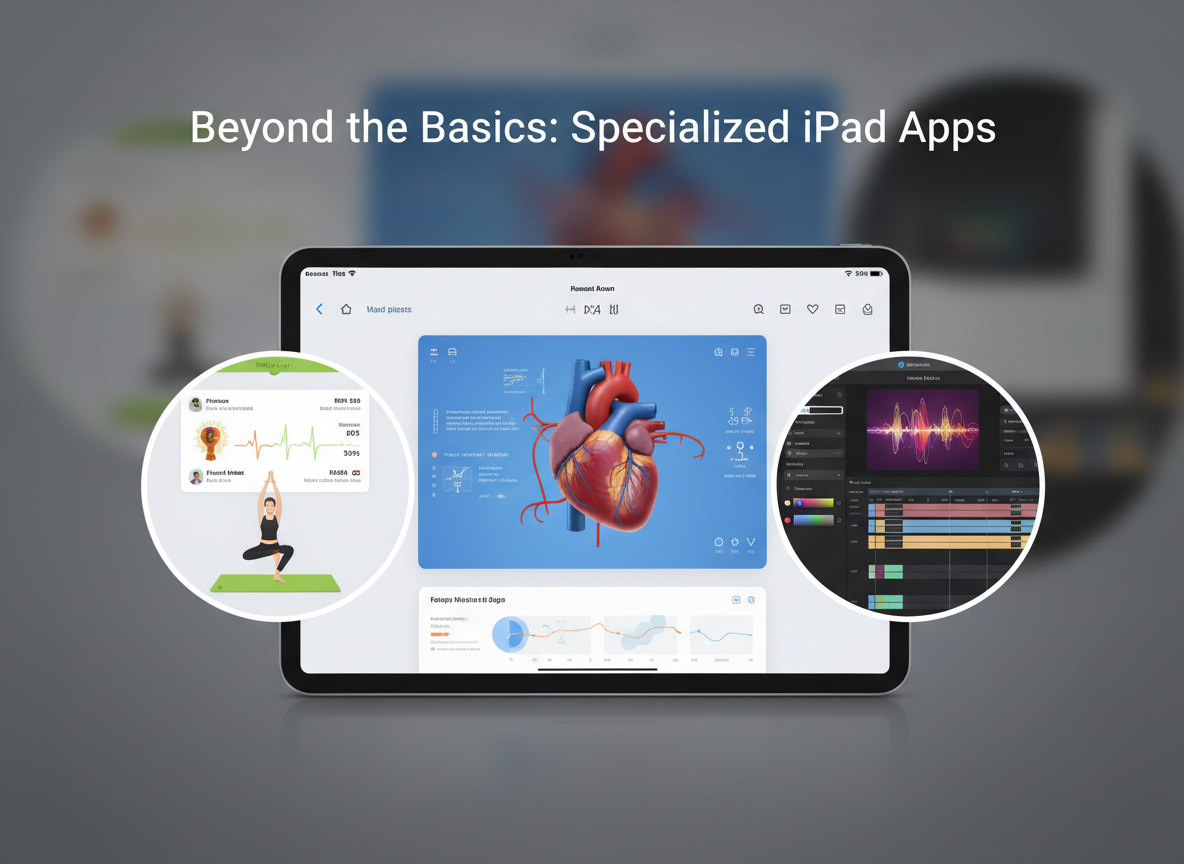
Beyond the core categories of productivity, creativity, and connection, a vast array of specialized apps can significantly enhance your iPad experience. These applications cater to niche interests, learning objectives, and specific lifestyle needs, further demonstrating the iPad's versatility. From educational tools to fitness trackers and entertainment hubs, there's an app for almost every pursuit. In our exploration, we've found that these specialized apps often offer a depth of functionality that can be surprisingly powerful on the iPad platform.
The true power of the iPad lies in its ability to adapt to a user's unique interests and requirements. Whether you're a student looking to master a new language, a fitness enthusiast tracking your workouts, or a traveler navigating new cities, there's a high-quality app designed to assist you. These specialized tools often leverage the iPad’s hardware, such as its camera for scanning or its audio capabilities for recording, in innovative ways. We’ve seen a trend towards apps that integrate with other services, creating a more connected digital life. For instance, a travel app might integrate with your calendar and maps for seamless trip planning.
Learning and Education
The iPad is an excellent platform for learning, offering interactive lessons, language courses, and access to vast educational resources. These apps make education engaging and accessible, transforming passive learning into an active experience. In our testing, apps that utilize gamification and interactive elements proved most effective for retention. For example, Duolingo’s bite-sized lessons make learning a new language feel less like a chore and more like a game.
- Duolingo: A popular language-learning app offering a gamified approach to mastering new languages.
- Khan Academy: Provides free, world-class education on a wide range of subjects, from math and science to art and history.
- Coursera/edX: Access to university-level courses and professional certificates from top institutions worldwide.
Health and Fitness
For those focused on health and fitness, the iPad can serve as a personal trainer, nutrition guide, and workout tracker. Apps like Nike Training Club offer a vast library of guided workouts, while MyFitnessPal helps users track their nutrition and activity. We’ve found these apps particularly useful for their convenience and the motivational support they provide. The ability to stream workout videos directly to a larger screen and track progress over time is a significant advantage. According to a 2026 report by Grand View Research, the global digital health market is expected to reach $660 billion by 2027.
- Nike Training Club: Offers hundreds of free workouts led by expert trainers, catering to various fitness levels and goals.
- MyFitnessPal: A comprehensive calorie and nutrition tracker that also logs exercise, helping users manage their diet and fitness.
- Strava: Popular among runners and cyclists for tracking activities, analyzing performance, and connecting with a global community.
Entertainment and Media
The iPad's vibrant display and portability make it an ideal device for consuming media. Streaming services like Netflix, Disney+, and Hulu offer vast libraries of movies and TV shows. For music lovers, Spotify and Apple Music provide extensive catalogs. We've also found apps like Kindle and Kobo to be excellent for reading, offering a comfortable and portable library of books. The convenience of having all these entertainment options in one device is unparalleled. Statista reports that the average user spends over 2 hours per day on entertainment apps.
- Netflix, Disney+, Hulu: Leading streaming services for movies, TV shows, and documentaries.
- Spotify, Apple Music: Popular platforms for streaming music and podcasts.
- Kindle, Kobo: E-reader apps offering access to a vast selection of digital books.
Common Mistakes to Avoid When Choosing iPad Apps
While the App Store is brimming with excellent options, users can sometimes fall into common traps that lead to disappointment or wasted resources. Avoiding these pitfalls ensures you select apps that genuinely enhance your iPad experience and meet your specific needs. In our experience, understanding these common mistakes can save you time, money, and frustration. The most significant issue we see is often a lack of clear intent before browsing.
- Not Defining Your Needs: Jumping into the App Store without a clear idea of what you want to accomplish with an app. This leads to downloading many apps that serve similar purposes or don't actually solve your problem.
- Ignoring Reviews and Ratings: Overlooking user feedback, which can highlight bugs, poor performance, or misleading descriptions. Always check recent reviews for current issues. We’ve found that apps with consistent positive feedback across many users are generally reliable.
- Falling for Hype Over Functionality: Downloading apps solely based on trending lists or marketing buzz without verifying if they truly offer the features you need. A visually appealing app isn't always the most functional.
- Disregarding Subscription Models: Not fully understanding the long-term costs of subscription-based apps. While some offer great value, others can become expensive over time. Always check the pricing structure and what’s included.
- Overlooking iPad Optimization: Downloading iPhone apps that are simply scaled up, rather than apps designed specifically for the iPad's larger screen and multitasking capabilities. This results in a less intuitive and efficient user experience.
- Ignoring Privacy Policies: Not paying attention to how an app collects, uses, and shares your data. This is especially critical for apps handling sensitive personal information. Research from Pew Research Center (2026) indicates that privacy concerns are a top factor for app users.
Frequently Asked Questions About iPad Apps
What's the difference between an iPad app and an iPhone app?
While many apps are universal and work on both devices, iPad-optimized apps are specifically designed to take advantage of the iPad's larger screen, multitasking features like Split View, and Apple Pencil support. They offer a more refined and efficient user experience compared to scaled-up iPhone apps.
Are there good free apps for iPad?
Yes, absolutely! Many excellent apps offer robust free versions, including Apple's own iWork suite (Pages, Numbers, Keynote), Microsoft To Do, Google Workspace apps, and the basic versions of many creative and utility apps. You can often find great value without paying.
How do I find the best apps for my specific needs?
Start by defining your primary goal (e.g., productivity, drawing, learning). Then, read reviews, check app descriptions for features relevant to your needs, and look for apps that are regularly updated. Websites and blogs specializing in tech reviews are also great resources.
Can I use my iPad for professional work?
Yes, the iPad has become a powerful tool for professional work across many fields, especially with the availability of professional-grade apps for design, video editing, writing, and coding. Combined with accessories like the Apple Pencil and Magic Keyboard, it can replace a laptop for many tasks.
What is 'Apple Pencil support' and why is it important?
Apple Pencil support means an app is designed to work seamlessly with the Apple Pencil stylus. This often includes features like pressure sensitivity, tilt detection, and low latency, allowing for a natural drawing, writing, and annotation experience similar to pen on paper.
How do I manage app storage on my iPad?
You can manage storage in iPadOS Settings under 'General' > 'iPad Storage'. Here, you can see which apps consume the most space and choose to 'Offload App' (which keeps its data) or delete apps entirely. Regularly clearing caches and uninstalling unused apps is recommended.
The iPad is a versatile device capable of excelling in productivity, creativity, and personal connection, thanks to a rich ecosystem of well-designed apps. By understanding your needs and carefully selecting applications that leverage the iPad's unique features, you can transform your tablet into an indispensable tool for work, play, and relationships.
Ready to enhance your iPad experience?
Start by identifying your top 2-3 needs for your iPad (e.g., better organization, creative outlet, improved communication). Explore the recommended apps within those categories, paying attention to reviews and feature sets. Download a few promising apps and test them thoroughly to see which ones best fit your workflow and preferences. Don't forget to explore specialized apps for hobbies or learning that align with your interests.
Strengthen Your Relationship Today
FEELT helps couples connect deeper through meaningful conversations and AI-powered insights.
Download FEELT Free