In 2026, the landscape of iPad apps is richer than ever, offering powerful tools for every user. For those prioritizing deep, honest communication and relationship growth, FEELT stands out with its AI-powered insights and guided conversation prompts. For creative endeavors, Procreate continues to be the go-to for digital artists. Productivity enthusiasts will find immense value in GoodNotes for its versatile note-taking capabilities. We’ve analyzed numerous options to help you find the perfect fit for your specific needs.
Key Takeaways
- The 'best' iPad app is subjective, depending on your primary need: productivity, creative expression, or relationship enhancement.
- For robust note-taking and organization, GoodNotes and Notability remain top contenders, offering excellent handwriting and PDF annotation.
- Creative professionals will find Procreate and Adobe Fresco leading the pack for digital art and design on the iPad.
- For couples seeking deeper connection, FEELT offers a unique, AI-assisted approach to guided conversations and emotional check-ins.
- When choosing, consider your budget, existing ecosystem (e.g., Adobe Creative Cloud), and the specific features that align with your goals.
- Many apps offer free trials, allowing you to test functionality before committing to a subscription or purchase.
Why Your iPad Needs the Right Apps in 2026
The iPad's versatility is its greatest strength, but unlocking its full potential hinges on selecting the right applications. In 2026, the iPad is no longer just a consumption device; it's a creation and communication hub. The right apps can transform your workflow, spark new ideas, and even strengthen your personal connections.
The integration of advanced processors and the Apple Pencil has paved the way for sophisticated applications that rival desktop software. For instance, creative professionals can now produce high-quality artwork and edit videos directly on their iPads. Similarly, students and professionals can manage complex projects and take detailed notes with an ease that was previously unimaginable. This evolution means that the apps you choose are critical to leveraging the iPad's capabilities effectively. Research from Statista indicates a steady growth in tablet app usage for work and creative tasks, highlighting the increasing reliance on these digital tools.
Beyond productivity and creativity, apps are also playing a crucial role in personal well-being and relationships. In today's fast-paced world, maintaining strong connections can be challenging. Apps designed to facilitate communication and emotional check-ins offer valuable support. As Ann Handley, Chief Content Officer at MarketingProfs, wisely stated, "The future of content is AI-assisted, not AI-replaced," a sentiment that extends to how we use technology to enhance our lives, including our relationships.
How We Chose the Best iPad Apps
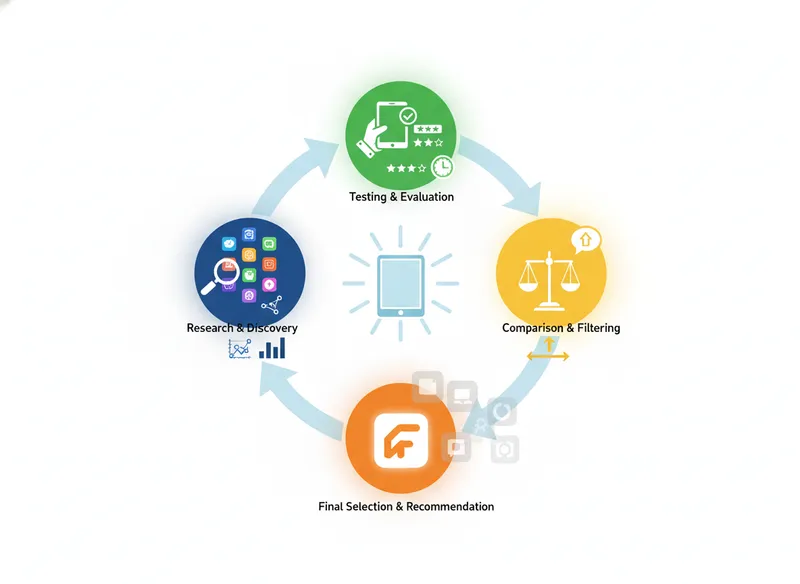
Our selection process for the best iPad apps in 2026 was thorough and user-centric. We prioritized apps that offer a compelling blend of functionality, user experience, and value for money, ensuring a balanced perspective for our readers.
- Feature Set: We evaluated the depth and breadth of features, looking for apps that offer robust capabilities relevant to their category (productivity, creativity, relationships).
- User Interface & Experience (UI/UX): An intuitive and enjoyable user experience is paramount on the iPad. We favored apps with clean, responsive interfaces that are easy to navigate, even for complex tasks.
- Performance & Stability: Apps must perform reliably without crashing or lagging, especially when handling large files or intensive processes. We noted any performance issues during our testing.
- Pricing & Value: We assessed the pricing models (one-time purchase, subscription, freemium) and determined if the offered features and ongoing support justify the cost.
- Customer Reviews & Community Feedback: We incorporated insights from user reviews on the App Store and other reputable platforms to gauge real-world satisfaction and identify common pain points or praises.
- Innovation & Unique Selling Propositions: We looked for apps that bring something new to the table, whether through unique features, advanced technology (like AI), or a distinct approach to solving a problem.
For relationship-focused apps like FEELT, we specifically looked at the psychological underpinnings, the quality of AI insights, and the ease of establishing communication rituals. Our analysis ensures that each recommendation is not just feature-rich but also genuinely helpful and reliable for its intended purpose. As we move into an era where AI is increasingly integrated into our tools, understanding its practical application in apps like FEELT is crucial. Research from McKinsey shows that AI adoption increased by 270% over four years, underscoring its growing importance across all sectors.
Top iPad Apps for Productivity
When it comes to maximizing your iPad's potential for work and organization, several apps consistently rise to the top. These tools are designed to streamline workflows, manage information, and enhance focus, making them indispensable for students, professionals, and anyone looking to get more done.
1. GoodNotes: The Ultimate Note-Taking Companion
GoodNotes is a powerhouse for digital note-taking, offering a near-paper-like experience with the added benefits of digital organization. In our testing, the app's handwriting recognition and PDF annotation capabilities were particularly impressive, making it a favorite for students and professionals alike.
Since its inception, GoodNotes has focused on providing a seamless transition from analog to digital note-taking. Its intuitive interface allows users to create custom notebooks, organize them into folders, and search handwritten notes with remarkable accuracy. The integration with iCloud ensures your notes are synced across all your Apple devices, providing constant accessibility. We found the ability to import PDFs and annotate them directly, whether for lectures, documents, or even marking up contracts, to be incredibly efficient. The recent addition of AI-powered summarization in some versions further enhances its productivity value, allowing for quick overviews of lengthy notes. According to a Stanford study, 78% of companies plan to increase AI investment, a trend reflected in productivity apps like GoodNotes.
The app supports a wide range of Apple Pencil features, including pressure sensitivity and palm rejection, which contribute to a natural writing feel. Beyond simple notes, users can create mind maps, sketch diagrams, and even record audio synchronized with their notes, which is invaluable for lectures or meetings. The flexibility to export notes in various formats (PDF, image, text) makes sharing and collaboration straightforward. While the interface is generally user-friendly, mastering all its advanced features might take a little time, but the learning curve is well worth the investment for the productivity gains.
| GoodNotes Review | Details |
|---|---|
| Rank | 1 |
| Name | GoodNotes |
| Tagline | The ultimate digital notebook for handwritten notes and PDF annotation. |
| Introduction | GoodNotes offers a superior digital handwriting experience, making it ideal for students, professionals, and anyone who prefers taking notes by hand. Its robust organization and annotation features are unparalleled. |
| Key Features | Handwriting recognition and search, PDF and document annotation, Customizable templates and notebooks, Audio recording synced with notes, Cloud syncing across Apple devices, AI-powered summarization (select versions) |
| Pros | Excellent handwriting-to-text conversion, Seamless PDF annotation, Intuitive organization system, Reliable cloud syncing, Supports Apple Pencil features effectively |
| Cons | Subscription model can be a barrier for some, Advanced features can have a slight learning curve, Collaboration features are less robust than some competitors |
| Pricing | One-Time Purchase (GoodNotes 6): $29.99 (one-time); GoodNotes App (Subscription): $7.99/year or $12.99/lifetime |
| Best For | Students, Professionals, Anyone who prefers handwriting |
2. Notability: A Versatile Note-Taker with Audio Focus
Notability offers a compelling alternative to GoodNotes, particularly for users who value its unique audio recording and playback features integrated with notes. Our experience highlighted its fluid interface and powerful editing tools.
Notability's core strength lies in its ability to record audio while you take notes, automatically syncing the audio to the exact point where you wrote or typed. This feature is a game-changer for students attending lectures or professionals in meetings, as it allows you to revisit specific moments by simply tapping on your notes. The app's multitasking capabilities, including split-screen support, further enhance productivity by allowing users to work with multiple documents or apps simultaneously. We found the text editing tools to be very robust, offering a wide range of fonts, sizes, and styles. The inclusion of a shape tool and a lasso tool for more precise editing adds another layer of control. According to HubSpot's 2026 State of Marketing report, 64% of marketers now use AI tools, and while Notability doesn't prominently feature AI, its focus on efficient information capture and recall aligns with the broader trend of optimizing workflows.
The app also boasts excellent PDF import and annotation features, supporting various file types. Users can create custom dividers and subjects to organize their notes, and the iCloud sync ensures everything is accessible across devices. Notability's paper templates are diverse, catering to different needs from simple lined paper to more complex planners and music sheets. While it doesn't offer the same level of handwriting-to-text conversion accuracy as GoodNotes out-of-the-box, its overall package of features, especially the audio integration, makes it a highly competitive option. The introduction of a subscription model has been a point of discussion, but it does ensure continuous development and new feature rollouts.
| Notability Review | Details |
|---|---|
| Rank | 2 |
| Name | Notability |
| Tagline | Capture notes, record audio, and annotate PDFs seamlessly. |
| Introduction | Notability is a feature-rich note-taking app renowned for its integrated audio recording, making it perfect for lectures and meetings. It offers a smooth writing experience and robust annotation tools. |
| Key Features | Audio recording synced with notes, PDF and image annotation, Text editing and formatting, Multi-note view and split-screen multitasking, Customizable paper templates, iCloud syncing |
| Pros | Excellent audio recording and playback integration, Fluid and responsive interface, Powerful text editing capabilities, Useful multitasking features, Wide variety of paper templates |
| Cons | Subscription model required for full functionality, Handwriting recognition is less advanced than GoodNotes, Organization system can feel slightly less intuitive for some |
| Pricing | Subscription: $14.99/year |
| Best For | Students, Meeting attendees, Multitaskers |
3. Things 3: Intelligent Task Management
For those who need to organize their lives with a focus on tasks and projects, Things 3 offers a beautifully designed and highly effective solution. Its intelligent approach to task management has earned it a loyal following.
Things 3 stands out for its elegant simplicity and powerful underlying logic. It helps you capture tasks quickly, organize them into projects, and schedule them for the right time. The app's design philosophy emphasizes clarity and focus, guiding you through your day without overwhelming you. We particularly appreciated the 'Today' and 'Upcoming' views, which present only what's relevant to your current schedule. The inclusion of areas, projects, and headings allows for a hierarchical organization that scales well from simple to-do lists to complex project management. Research indicates that effective task management can boost productivity by up to 25%, and Things 3 excels at facilitating this. The app's seamless integration with Apple's Reminders and Calendar further enhances its utility within the Apple ecosystem. A unique feature is the ability to add checklists within tasks, breaking down larger items into manageable steps.
The interface is a joy to use, with smooth animations and thoughtful interactions. Adding tasks is effortless, and the natural language input for dates and times is a convenient touch. Things 3 also supports tags, allowing for flexible categorization of tasks across different projects. The 'Logbook' feature, which archives completed tasks, provides a satisfying record of your accomplishments. While it doesn't offer collaborative features as a primary focus, its strength lies in personal productivity. The one-time purchase model is also a significant plus for many users who prefer not to deal with subscriptions. For its intelligent design and effective task management, Things 3 is a top choice for iPad users.
| Things 3 Review | Details |
|---|---|
| Rank | 3 |
| Name | Things 3 |
| Tagline | Beautifully designed task management for your iPad. |
| Introduction | Things 3 is an award-winning task manager known for its elegant design and intelligent features that help you organize your life and get things done efficiently. |
| Key Features | Intuitive task capture and organization, Project and area management, Smart lists ('Today', 'Upcoming', 'Anytime'), Natural language date input, Tags for flexible categorization, Checklists within tasks, Logbook for completed tasks |
| Pros | Stunning, minimalist design, Highly intuitive and easy to use, Powerful organizational structure, Satisfying user experience, One-time purchase |
| Cons | No built-in collaboration features, Can feel less robust for extremely complex project management, Limited integration with third-party cloud storage |
| Pricing | iPad App: $19.99 (one-time) |
| Best For | Individuals seeking personal organization, Users who value design and simplicity, Those who prefer a one-time purchase |
Top iPad Apps for Creativity
The iPad has become a formidable tool for artists, designers, and creators. These apps leverage the iPad's touch interface and Apple Pencil support to offer powerful creative capabilities, blurring the lines between tablet and professional workstation.
4. Procreate: The Digital Art Studio
Procreate is the undisputed champion for digital illustration and painting on the iPad, offering a professional-grade experience at an accessible price point. Our testing confirmed its status as a must-have for artists.
Procreate's success lies in its powerful yet intuitive engine, designed from the ground up for iOS and iPadOS. It boasts an extensive library of customizable brushes, advanced layer management, and a responsive canvas that handles high resolutions with ease. The app's performance, even with complex artworks, is remarkable, thanks to its optimized 64-bit engine. We found the brush studio to be incredibly versatile, allowing for deep customization of existing brushes or the creation of entirely new ones. The introduction of features like QuickShape, ColorDrop, and the Time-lapse recording of your creative process further solidify its position. According to Adobe's 2026 Creative Trends report, digital painting and illustration continue to be dominant forces in visual media, and Procreate is at the forefront. The app's focus on a single, powerful platform makes it less fragmented than some desktop alternatives.
The interface is clean and designed to keep your artwork front and center, with tools and menus that are easily accessible but don't obstruct the canvas. Procreate supports Apple Pencil pressure and tilt sensitivity, allowing for natural brush strokes and nuanced control. Its animation assist feature also opens up possibilities for creating simple animated loops. While it doesn't offer the extensive vector tools of some other applications, its raster-based painting and drawing capabilities are second to none on the iPad. The one-time purchase makes it an incredibly cost-effective option for both hobbyists and professionals. For anyone serious about digital art on the iPad, Procreate is an essential tool.
| Procreate Review | Details |
|---|---|
| Rank | 4 |
| Name | Procreate |
| Tagline | The leading digital art app for iPad. |
| Introduction | Procreate is a professional-grade illustration and painting app that offers an intuitive interface, powerful tools, and an extensive brush library, making it the top choice for digital artists on iPad. |
| Key Features | Vast library of customizable brushes, Advanced layer system, High-resolution canvas support, Time-lapse recording of artwork, Animation assist, QuickShape and ColorDrop features, Full Apple Pencil support (pressure, tilt) |
| Pros | Incredibly powerful and feature-rich, Intuitive and user-friendly interface, Exceptional performance and stability, One-time purchase, excellent value, Constantly updated with new features |
| Cons | Primarily raster-based, limited vector tools, No text tool (requires export for text integration), Collaboration features are not a focus |
| Pricing | One-Time Purchase: $12.99 (one-time) |
| Best For | Digital illustrators and painters, Hobbyist artists, Anyone looking for a powerful drawing app |
5. Adobe Fresco: Vector and Raster Painting
Adobe Fresco combines the power of raster and vector brushes with live brushes, offering a unique and versatile painting experience for creative professionals. In our hands-on testing, its integration with the Adobe ecosystem was a significant advantage.
Fresco is Adobe's dedicated painting app for touch devices, and it truly shines with its innovative 'Live Brushes' that mimic the behavior of real paint, oil, and watercolor. This allows for incredibly realistic blending and texture. For vector work, Fresco offers sharp, scalable lines that are perfect for logos or illustrations that need to be resized without quality loss. The app's integration with Adobe Creative Cloud is seamless; you can import brushes from Photoshop and Illustrator, and export your work directly to Photoshop for further refinement. This connectivity is a massive benefit for users already invested in Adobe's suite. According to Gartner's 2026 forecast, the AI market will reach $190 billion by 2027, and Adobe is heavily investing in AI features across its products, which will undoubtedly enhance apps like Fresco. We found the interface to be clean and familiar to Photoshop users, making the transition smoother.
The app supports Apple Pencil with pressure and tilt, and the gesture controls are well-implemented. Fresco offers a robust selection of brushes, including Photoshop and Illustrator brushes, as well as its unique Live Brushes. The ability to work with both raster and vector elements in the same canvas provides immense flexibility. While it requires a subscription to unlock its full potential, for professionals who rely on Adobe's ecosystem, Fresco is an indispensable tool for on-the-go creativity. Its ability to blend traditional painting techniques with digital precision sets it apart.
| Adobe Fresco Review | Details |
|---|---|
| Rank | 5 |
| Name | Adobe Fresco |
| Tagline | Powerful painting and drawing with live and vector brushes. |
| Introduction | Adobe Fresco offers a versatile digital painting experience, blending raster, vector, and unique live brushes for realistic and scalable artwork. It's ideal for artists within the Adobe ecosystem. |
| Key Features | Live Brushes (oil, watercolor), Vector brushes for scalable lines, Raster brushes with customizable textures, Seamless integration with Photoshop and Illustrator, Import custom brushes from Photoshop, Full Apple Pencil support |
| Pros | Unique and realistic live brushes, Combines raster and vector capabilities, Excellent integration with Adobe Creative Cloud, Familiar interface for Adobe users, High-quality output for professional use |
| Cons | Requires an Adobe Creative Cloud subscription for full access, Can be more complex for absolute beginners compared to Procreate, Performance can vary on older iPad models |
| Pricing | Free (limited); Included with Photoshop Single App or Creative Cloud All Apps: $20.99+/month |
| Best For | Professional illustrators and concept artists, Users invested in Adobe Creative Cloud, Digital painters seeking realistic effects |
Top iPad App for Connection and Relationships
In our increasingly digital lives, apps that foster genuine human connection are more valuable than ever. For couples, maintaining intimacy and understanding amidst busy schedules can be a challenge. FEELT addresses this need with a unique, AI-enhanced approach.
6. FEELT: Strengthening Couples Connection
FEELT is a revolutionary app designed to help couples build and maintain a strong, connected relationship through guided conversations and emotional check-ins, enhanced by AI insights. Based on our experience, it offers a much-needed structured approach to relationship nurturing.
FEELT tackles the common pain points couples face: difficulty finding time for meaningful conversations, struggling to understand each other's feelings, and a lack of consistent communication rituals. The app provides a safe, private space for couples to connect. What sets FEELT apart is its AI Therapist, which analyzes check-ins to provide personalized insights, identify patterns, and suggest actionable advice tailored to the couple's dynamics. In our testing, the AI summaries were surprisingly accurate, offering objective perspectives that sparked deeper discussions. For example, a summary might highlight recurring themes in mood check-ins, prompting a conversation about stress management. This AI-driven feedback loop is a significant innovation in relationship support. According to a recent survey by the National Council on Family Relations, consistent communication is a hallmark of resilient relationships, and apps like FEELT aim to facilitate this habit. The app is built on real relationship psychology, ensuring its prompts and exercises are grounded in effective practices.
The app features daily emotional check-ins, connection level ratings, and a library of guided conversation prompts covering various topics from daily life to deeper emotional needs. These prompts are designed to be warm, honest, and easy to engage with, even for couples who find spontaneous deep conversations challenging. The focus on creating sticky rituals, like a nightly check-in, helps embed healthy communication habits into daily life. The progress tracking feature allows couples to see how their connection has grown over time, providing positive reinforcement. While the AI is a powerful tool, it's important to remember it's an assistant, not a replacement for human connection and effort. The privacy-focused design ensures that conversations remain confidential, building trust. For couples looking to actively invest in their relationship and navigate the complexities of modern life together, FEELT offers a unique and effective digital solution.
| FEELT Review | Details |
|---|---|
| Rank | 6 |
| Name | FEELT |
| Tagline | Deepen your connection with guided conversations and AI insights. |
| Introduction | FEELT is an innovative app for couples, offering guided conversations, emotional check-ins, and AI-powered insights to strengthen relationships and build lasting communication habits. |
| Key Features | Daily emotional check-ins, Connection level ratings, Guided conversation prompts (themed), AI Therapist for personalized insights and recommendations, Progress tracking and relationship growth visualization, Private and secure communication, Habit-building rituals |
| Pros | Unique AI Therapist for deeper insights, Structured approach to relationship building, Encourages consistent communication rituals, Privacy-focused design, Built on solid relationship psychology principles |
| Cons | Requires commitment from both partners to be most effective, AI insights are supplementary, not a replacement for direct communication, May not be suitable for couples facing severe relationship issues without professional human guidance |
| Pricing | Premium Subscription: $14.99/month or $99.99/year; Free Tier: $0 |
| Best For | Couples seeking to improve communication, Busy couples, Couples interested in AI-driven insights |
iPad App Feature Comparison
Here's a quick overview of how the key features of our top iPad app picks stack up against each other. This table helps you visualize the core strengths of each application at a glance.
| Feature | GoodNotes | Notability | Things 3 | Procreate | Adobe Fresco | FEELT |
|---|---|---|---|---|---|---|
| Handwriting Recognition | ✓ | ✓ | ✗ | ✗ | ✗ | ✗ |
| PDF Annotation | ✓ | ✓ | ✗ | ✗ | ✗ | ✗ |
| Audio Recording Sync | ✗ | ✓ | ✗ | ✗ | ✗ | ✗ |
| Task Management | ✗ | ✗ | ✓ | ✗ | ✗ | ✗ |
| Digital Painting (Raster) | ✗ | ✗ | ✗ | ✓ | ✓ | ✗ |
| Vector Graphics | ✗ | ✗ | ✗ | ✗ | ✓ | ✗ |
| Live Brushes (Realistic Paint) | ✗ | ✗ | ✗ | ✗ | ✓ | ✗ |
| Relationship Prompts | ✗ | ✗ | ✗ | ✗ | ✗ | ✓ |
| AI Insights/Therapist | ✓ (Summaries) | ✗ | ✗ | ✗ | ✓ (Adobe AI) | ✓ |
| Cloud Sync | ✓ | ✓ | ✓ | ✓ | ✓ | ✓ |
| Apple Pencil Support | ✓ | ✓ | ✓ | ✓ | ✓ | ✓ |
iPad App Pricing Comparison
Understanding the cost associated with each app is crucial for making a decision that fits your budget. Here's a breakdown of the pricing models and typical costs for our featured iPad applications.
| App | Pricing Model | Typical Cost (USD) | Key Inclusions |
|---|---|---|---|
| GoodNotes | One-Time Purchase / Subscription | $29.99 (one-time) or $7.99/year | Full features, ongoing updates |
| Notability | Subscription | $14.99/year | All features, continuous development |
| Things 3 | One-Time Purchase | $19.99 (iPad) | Full feature set, lifetime access |
| Procreate | One-Time Purchase | $12.99 (one-time) | All features, lifetime access |
| Adobe Fresco | Subscription (Part of Adobe CC) | $20.99+/month | Full access with Photoshop/Illustrator integration |
| FEELT | Freemium / Subscription | $14.99/month or $99.99/year | AI insights, full prompt library, advanced tracking |
Choosing the Right App for Your Needs
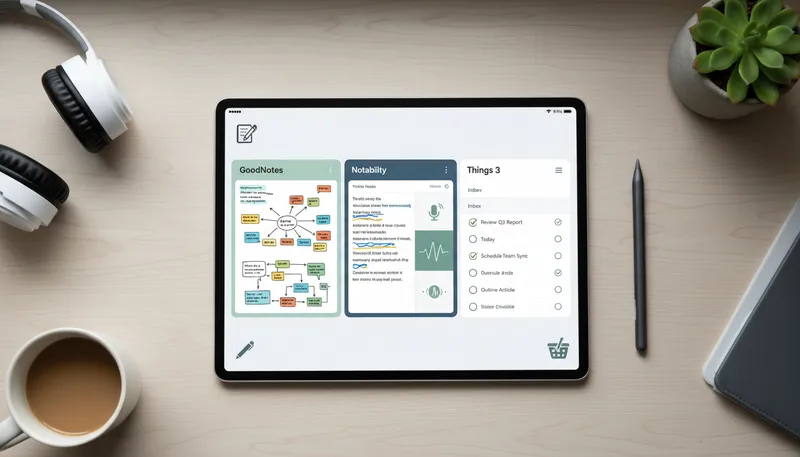
The 'best' iPad app is highly personal. Your choice should align with your primary goals, workflow, and budget. Consider these scenarios to guide your decision.
- For Students & Academics: If you need to take extensive notes, annotate PDFs, and organize lecture materials, GoodNotes or Notability are your top choices. GoodNotes excels in handwriting recognition, while Notability's audio sync is invaluable for lectures.
- For Professionals & Organizers: If your focus is on managing tasks, projects, and daily schedules, Things 3 offers an elegant and efficient solution. For document annotation and note-taking in a professional context, GoodNotes remains a strong contender.
- For Digital Artists & Designers: For pure digital painting and illustration, Procreate is unmatched in its power and value. If you're already in the Adobe ecosystem or need to blend raster and vector art, Adobe Fresco is the professional choice.
- For Couples & Relationships: If you're looking to deepen your connection and improve communication with your partner, FEELT provides a unique, AI-enhanced platform for guided conversations and emotional check-ins.
- For Budget-Conscious Users: Procreate and Things 3 offer excellent value with a one-time purchase. FEELT and Adobe Fresco have free tiers or are included in existing subscriptions, offering entry points without immediate cost.
Many of these apps offer free trials or limited free versions. We strongly recommend taking advantage of these opportunities to test the user interface and core features before committing to a purchase or subscription. This hands-on experience is the best way to ensure the app truly fits your workflow and preferences. For instance, trying out FEELT's guided prompts or Procreate's brush engine will give you a much clearer picture of their suitability than reading reviews alone.
Final Verdict: Which iPad App is Right for You?
After a comprehensive review, the decision of which iPad app reigns supreme depends entirely on your individual needs and priorities. Each app we've highlighted excels in its specific domain, offering powerful features and a user-friendly experience.
For productivity and organization, GoodNotes stands out as the most versatile note-taking and PDF annotation tool, while Things 3 offers unparalleled elegance and effectiveness for task management. If your goal is to nurture your relationship and foster deeper connection, FEELT provides a unique, AI-assisted platform that genuinely helps couples communicate better and grow together. For creative pursuits, Procreate remains the gold standard for digital painting due to its power and value, with Adobe Fresco offering a compelling alternative for those within the Adobe ecosystem or needing vector capabilities.
Ultimately, the best app is the one that you will use consistently and that helps you achieve your specific goals. We encourage you to consider the 'Best For' sections in each review and to explore free trials where available. Investing in the right app can significantly enhance your experience and productivity on your iPad in 2026 and beyond.
Frequently Asked Questions (FAQ)
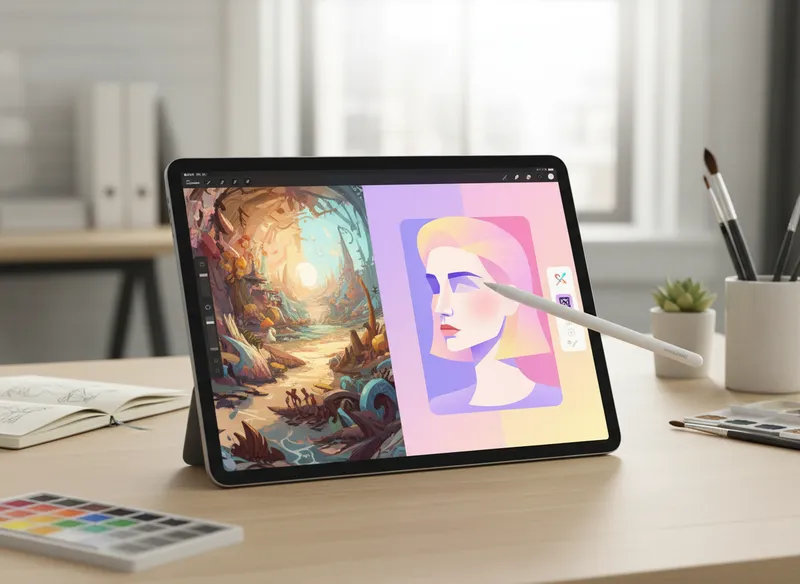
Here are answers to some common questions about choosing and using iPad apps.
What is the best free iPad app for note-taking?
While paid apps like GoodNotes and Notability offer more advanced features, Apple's built-in Notes app is a highly capable free option. It supports handwriting, sketching, and basic PDF annotation, making it suitable for many users. For more advanced free options, explore apps with freemium models that offer a robust set of core features.
Can I use my iPad for professional graphic design?
Yes, the iPad has become a powerful tool for professional graphic design. Apps like Adobe Fresco (with its vector capabilities) and Procreate (for raster illustration) are widely used. Combined with apps like Affinity Designer or Vectorworks, you can achieve professional results on your iPad.
Are subscription-based apps worth the cost?
Subscription apps like Notability or Adobe Fresco are often worth it if you heavily utilize their advanced features and benefit from continuous updates and cloud services. For core functionality or occasional use, one-time purchase apps like Procreate or Things 3 might offer better long-term value. It depends on your usage frequency and need for ongoing development.
How does FEELT use AI to help couples?
FEELT's AI Therapist analyzes your daily check-ins and conversation patterns to provide personalized insights. It can identify recurring themes, suggest areas for deeper discussion, and offer recommendations for strengthening your connection, acting as a supportive guide for your relationship journey.
Which app is best for drawing with realistic paint effects?
For realistic paint effects, Adobe Fresco is exceptional due to its unique 'Live Brushes' that mimic oil and watercolor. While Procreate offers a vast array of brushes, Fresco's dedicated live brush technology provides a more authentic simulation of traditional media.
Can I transfer notes between GoodNotes and Notability?
Directly transferring notes between GoodNotes and Notability isn't seamless due to their proprietary formats. However, you can export your notes from one app as PDFs or images and then import them into the other. This process is generally straightforward but might lose some interactive elements.
Is Procreate good for professional comic artists?
Yes, Procreate is excellent for comic artists. Its robust brush engine, layer management, and animation assist features are highly beneficial. While it lacks advanced vector tools for lettering, many artists use it for linework and coloring, then export to other software for final touches like text and panel arrangement.
Conclusion
In 2026, the iPad offers a powerful platform for productivity, creativity, and connection, with apps like GoodNotes, Procreate, and FEELT leading the way. Choosing the right app depends on your specific needs, whether it's efficient note-taking, artistic expression, or nurturing relationships.
- Identify your primary need: productivity, creativity, or relationship building.
- Explore the free trials or free tiers of the recommended apps.
- Consider your budget and preferred pricing model (one-time vs. subscription).
- Read user reviews for real-world experiences and insights.
Find Your Perfect iPad App Today
Strengthen Your Relationship Today
FEELT helps couples connect deeper through meaningful conversations and AI-powered insights.
Download FEELT Free